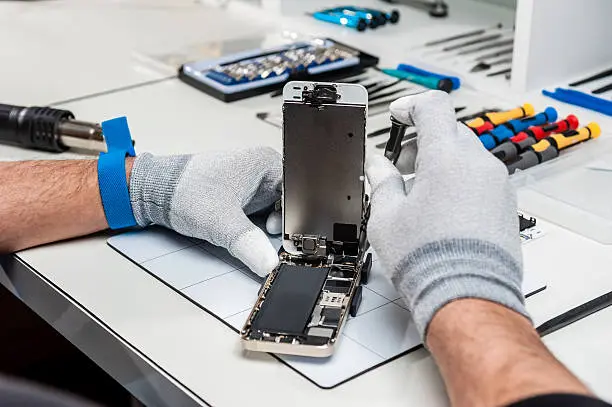
Repairing your own iPhone sounds like a smart idea. You save money, fix your device quickly, and feel a bit like a tech expert.
But here’s the truth: it’s not as simple as it looks.
Yes, most iPhone repairs can be done in about an hour. But there are hidden challenges that can easily catch beginners off guard.
Before you open your phone, here are 5 important things you need to know.
1. Your iPhone Uses Special Screws (And You Can’t Open It Without Them)
Let’s start with something simple but very important.
Apple doesn’t use normal screws.
Instead, your iPhone is held together by:
- Pentalobe screws (outside)
- Tri-point screws (inside)
These are tiny, uncommon, and easy to strip if you use the wrong tool.
Without the correct screwdriver, you simply cannot open your iPhone safely.
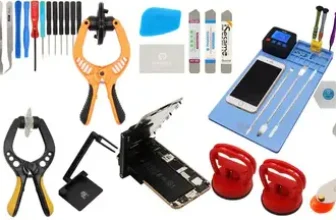
That’s why having the right repair kit matters. The correct tools make the difference between a smooth repair and a damaged phone.
2. Adhesive Holds Everything Together Inside
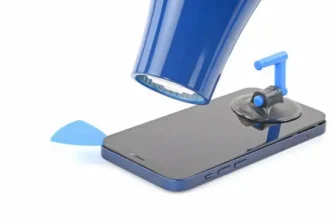
Even after you remove the screws, your iPhone is still strongly glued together.
Apple uses adhesive for:
- The screen
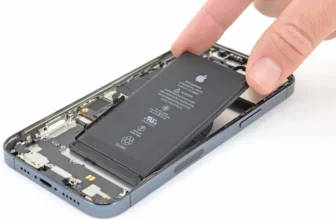
- The battery
- Internal sealing and water resistance
This means parts won’t just “pop out.” They are firmly stuck.
If you don’t expect this, you might:
- Crack the screen while opening it
- Damage the battery while pulling it out
To handle this, repair technicians often use heat or isopropyl alcohol to soften the glue.
But there’s another problem: once you remove the adhesive, putting it back perfectly is not easy.
And yes—without proper adhesive, you may lose water resistance.
3. Replacement Parts May Not Work Exactly Like Originals
Here’s something many people don’t realize.
Even if you install a genuine Apple part, your iPhone might not behave exactly the same.
Why?
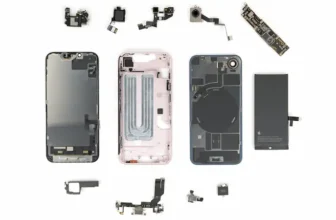
Because Apple links some parts directly to the phone’s logic board.
This can cause:
- Battery health not showing
- True Tone display not working
- Face ID or Touch ID issues (in some cases)
- Warning messages about parts
The phone will still work normally, but some features may be limited or missing.
It’s not a dealbreaker—but it can be annoying.
4. Screw Organization Is Extremely Important
This is one of the biggest beginner mistakes.
iPhones use many tiny screws—and they are NOT all the same.
If you mix them up, serious damage can happen.
One major risk is something called long screw damage, where the wrong screw can damage internal circuits on the logic board.
That’s why you must:
- Keep screws sorted carefully
- Remember exact positions
- Never “guess” where a screw goes
Even professionals use magnetic mats or labeled trays to stay organized.
One wrong screw can turn a simple repair into a dead phone.
5. Activation Lock Can Make Your Phone Useless
This is something many people forget.
If an iPhone is linked to someone else’s Apple ID and Activation Lock is enabled, you cannot fully use it—even after repair or reset.
Without the original Apple ID password:
- The phone cannot be activated
- It cannot be used normally
- It is basically only useful for spare parts
There are no real workarounds that work reliably.
So if you’re buying a second-hand iPhone or repairing one, always make sure Activation Lock is turned off.
Final Thoughts: Should You Repair Your iPhone Yourself?
DIY iPhone repair is possible. In fact, many common repairs are not too difficult.
But it’s not just about fixing hardware—it’s about understanding how tightly everything is engineered.
If you:
- Use the right tools
- Follow instructions carefully
- Stay patient during the process
Then you can successfully repair your iPhone at home.
But if you rush or skip steps, things can go wrong quickly.
FAQ – iPhone Repair Basics
1. Is iPhone repair easy for beginners?
Basic repairs are possible, but they require patience and proper tools.
2. Why does Apple use special screws?
To secure the device tightly and control repairs.
3. Can I damage my iPhone while opening it?
Yes, especially if you use too much force or wrong tools.
4. Do replacement parts work like original ones?
Mostly yes, but some features may be limited.
5. Is adhesive really necessary?
Yes, it helps seal the phone and maintain structure.
6. What is the biggest mistake in iPhone repair?
Mixing up screws or installing them in the wrong place.