Vivo Y20 Charging Problem Repair – Fix Temperature Too High / Low Error (Board-Level Solution)
If your Vivo Y20 is not charging and shows errors like:
- Temperature too high
- Temperature too low
- Please connect to sales and service
- Charging icon appears but battery percentage does not increase
Then this guide will help you understand the real cause and the correct repair method.
This issue is very common in Vivo and Realme phones, and in many cases, the charging jack is not the actual problem.
Why Vivo Y20 Shows Temperature Charging Error?
When you connect the charger:
- Charging symbol appears for a few seconds
- Current rises slightly (0.1A–0.6A)
- Then current drops to zero
- Phone stops charging
- Temperature error message appears
This usually means:
The phone is not detecting the battery sensing (ID) line correctly.
Even though 5V supply is reaching the board, the CPU cannot confirm battery status.
Step 1: Check Charging Jack and Voltage
Before doing board repair, always check basic hardware.
Inspect Charging Port
- Check for dust or corrosion
- Look for water damage
- Clean properly
Replace Charging Jack (If Needed)
Sometimes replacing the charging base solves the issue.
Measure Voltage
Use a multimeter:
- Connect charger
- Measure voltage on charging pin
- You should get around 5V to 5.3V
If voltage is correct, move to the next step.
Step 2: Check Charging Current
Using a DC power supply or ampere meter:
- Phone may draw small current
- Current quickly drops to zero
- Battery does not charge
This confirms the problem is not supply-related.
Main Cause: Battery ID Line Fault in Vivo Y20
Every smartphone battery has:
- Positive line
- Negative line
- Middle line (ID / temperature sensing line)
The middle line tells the CPU:
- Battery temperature
- Battery health
- Safety status
If this ID line is open, shorted, or blocked:
- Phone shows temperature error
- Charging stops automatically
- Sales & service message appears
This is the real issue in most Vivo Y20 charging problems.
Step 3: Check ID Line Using Multimeter
Set multimeter to continuity mode.
- Ground and positive usually test fine
- Check the middle battery point
If there is:
- No continuity
- No voltage value
Then the ID line is damaged or disconnected.
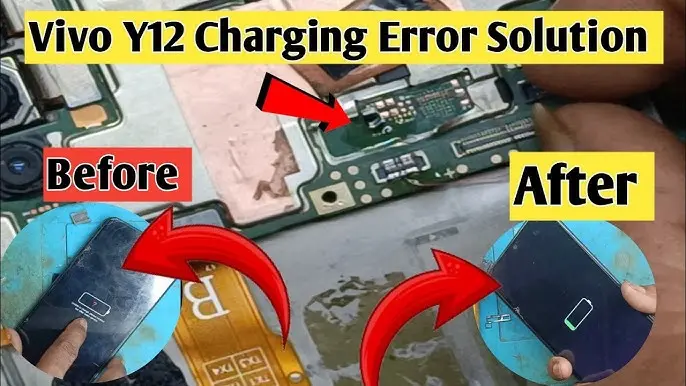
Board-Level Fix: Jumper the Faulty ID Line Component
Near the charging section, there is usually a small resistor or component connected to the ID line.
In many cases:
- The resistor becomes short
- Or it becomes open
- Or corrosion damages it
Repair Method:
- Locate the faulty component on the ID line
- Remove damaged resistor if needed
- Apply a thin jumper wire to restore continuity
This reconnects the battery sensing line directly to the CPU.
In around 90% of cases, this method fixes the charging issue completely.
After Repair – What You Should See
Once jumper is applied:
- Charging symbol stays stable
- Current draw becomes stable (0.6A–1A or more)
- Battery percentage increases
- Temperature error disappears
- Phone charges normally
Important Technician Tips
- Always check charging jack first
- Do not replace battery without testing ID line
- Clean board if water damage is suspected
- Use microscope if available
- If ID line does not reach CPU, schematic may be required
Does This Fix Work for Other Phones?
Yes.
This charging temperature problem is common in:
- Other Vivo models
- Realme smartphones
- Entry-level Android phones
The concept remains the same:
If the battery ID line is missing, charging will stop.
Frequently Asked Questions (FAQ)
1. Why does Vivo Y20 show temperature too high while charging?
Because the battery sensing (ID) line is not reaching the CPU, making the phone think the battery temperature is abnormal.
2. Is this issue caused by a faulty battery?
Not always. In most cases, the battery is fine. The problem is in the board’s ID sensing line.
3. Should I replace the charging port first?
Yes. Always check and replace the charging jack before doing board-level repair.
4. Is jumper repair safe?
If done properly by a technician, yes. It restores the original line continuity.
Final Words
If your Vivo Y20 is showing charging but not increasing battery percentage and giving temperature errors, do not rush to replace multiple parts.
First check the battery ID line.
In most cases, a simple jumper repair solves the issue quickly and professionally.