
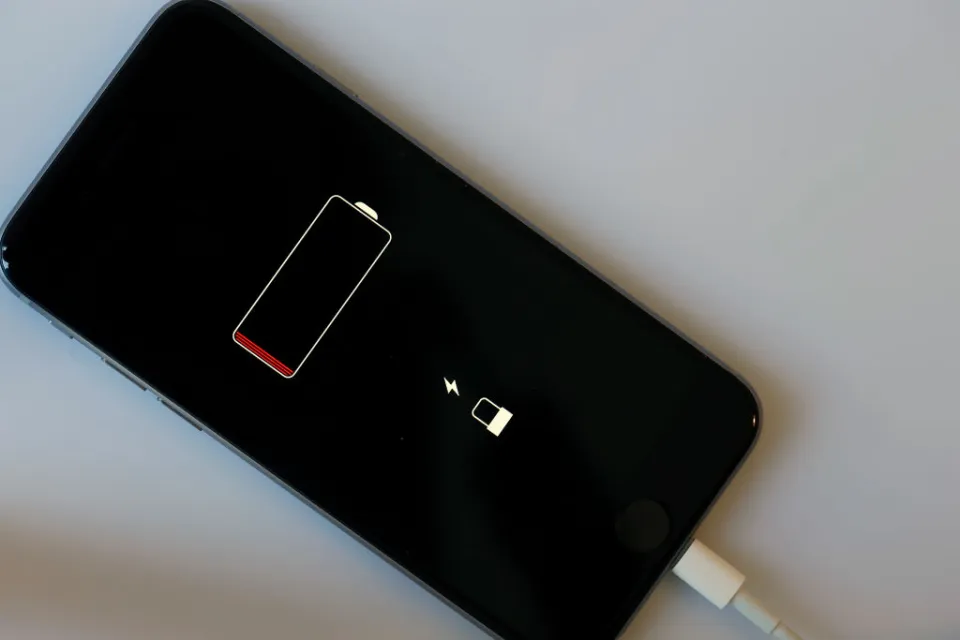
If your iPhone 12 Pro Max battery health has dropped below 80% or your phone drains quickly, it may be time for a replacement. In this complete guide, we’ll show you how to replace the iPhone 12 Pro Max battery safely, including tools required, adhesive tips, and the important calibration process after installation.
If you’re checking current Apple mobile prices before deciding to repair or replace, you can also see the latest iPhone rates in Pakistan here:
https://pricetoday.pk/mobile/apple-iphone-price-in-pakistan/
Tools Required for iPhone 12 Pro Max Battery Replacement
Before starting, gather the following tools:
- Pentalobe screwdriver
- Y000 (Tri-wing) screwdriver
- Plastic spudger
- Suction cup
- Guitar pick or plastic pry tool
- Tweezers
- Isopropyl alcohol (90%+ recommended)
- Replacement battery (OEM recommended)
- New screen adhesive
Step 1: Power Off the iPhone
Always turn off your iPhone 12 Pro Max before opening it. This prevents short circuits and internal damage.
Step 2: Remove Bottom Screws
Using a pentalobe screwdriver, remove the two screws located on either side of the Lightning port.
Step 3: Open the Display Carefully
- Attach a suction cup to the bottom third of the screen.
- Slightly lift and insert a razor blade or thin pry tool between the frame and display.
- Add a few drops of isopropyl alcohol to loosen adhesive.
- Insert a guitar pick and carefully slide along the edges to separate the adhesive.
⚠️ Be patient. If the phone has never been opened before, the adhesive may be strong.
Step 4: Disconnect the Battery and Screen
After lifting the display slightly:
- Remove the metal shield covering connectors (secured with 4 tri-wing screws).
- Use a plastic spudger to disconnect the battery connector first.
- Remove additional screws and disconnect display connectors.
- Carefully lift the screen and set it aside.
Step 5: Remove the Old Battery
There are two methods:
Method 1: Pull Adhesive Tabs
You can try pulling the battery adhesive strips slowly.
Method 2 (Recommended): Use Isopropyl Alcohol + Pry Tool
- Add isopropyl alcohol around the battery edges.
- Let it soak for a minute.
- Gently pry using a plastic tool.
This method is usually easier than relying on adhesive pull tabs.
🛑 Dispose of the old battery according to your local recycling laws.
Step 6: Install the New Battery
Use a genuine OEM battery if possible.
- Remove plastic covers but keep alignment spacer block attached.
- Carefully align the battery with internal frame edges.
- Once positioned correctly, remove adhesive strips backing.
- Press battery down firmly into place.
Step 7: Apply New Screen Adhesive
Battery replacements do NOT include screen adhesive.
- Align adhesive starting from one corner.
- Follow the frame edges precisely.
- Press down firmly with a spudger.
- Leave final protective film on until ready to close.
Step 8: Reassemble the Phone
- Reconnect screen connectors.
- Reconnect battery connector.
- Reinstall metal shields and screws.
- Clean dust and fingerprints.
- Remove final adhesive film.
- Close the display carefully from top to bottom.
- Reinstall bottom pentalobe screws.
Important: iPhone 12 Pro Max Battery Calibration Process
After installing a genuine battery, you must configure it:
Enter Diagnostic Mode
- Turn phone OFF.
- Press and hold Volume Up + Volume Down together.
- While holding, plug into power cable.
- Wait for Apple logo.
- Release buttons after 5–6 seconds.
The phone enters Diagnostics & Repair Mode.
Complete Battery Configuration
- Connect to Wi-Fi (Hotspot will not work).
- Choose Finish Repair.
- Allow device to communicate with Apple servers.
- Follow calibration steps.
After restart:
- Go to Settings → Battery → Battery Health
- It should show 100% Maximum Capacity
- In Settings → General → About, it should show “Genuine Battery”
Should You Replace the Battery or Buy a New Phone?
If your iPhone 12 Pro Max is otherwise working fine, battery replacement is much cheaper than buying a new device.
However, if you’re considering upgrading, check:
- Latest iPhone models prices in Pakistan
https://pricetoday.pk/mobile/apple-iphone-price-in-pakistan/
You can compare repair cost vs replacement cost before deciding.
SEO FAQ Section
How much does it cost to replace iPhone 12 Pro Max battery?
The battery price varies depending on whether it’s OEM or third-party. Genuine batteries cost more but ensure full compatibility and calibration support.
Can I replace iPhone 12 Pro Max battery myself?
Yes, but it requires proper tools and technical knowledge. Incorrect handling may damage the display or internal components.
Does replacing the battery remove the battery health warning?
If you install a genuine battery and complete Apple’s diagnostic calibration, the warning should disappear and show 100% battery health.
How long does iPhone 12 Pro Max battery replacement take?
A professional technician usually takes 30–60 minutes, depending on adhesive condition and experience.

