Bringing a phone into Pakistan from abroad, or having one shipped to you as a gift, comes with one extra step most people forget about: PTA registration. Skip it, and the phone works fine for a while, then quietly stops connecting to local networks. This guide walks through why that happens, how to check your phone’s current status, and exactly how to register it — whether you’re doing it online or through your passport at the airport.
Why PTA Registration Matters
PTA registration exists to keep unauthorized or smuggled devices off Pakistani networks. Any phone that isn’t registered within the grace period gets blocked automatically — no calls, no SMS, no mobile data, regardless of which SIM you insert. Handling registration early avoids that disruption entirely, along with the hassle of fixing it after the fact.
Who Actually Needs to Register
You’ll need to go through PTA registration if any of these apply to you:
- You bought the phone from outside Pakistan
- Someone sent or brought you a phone from another country
- You’re visiting Pakistan and staying beyond the short-term grace period
- Your phone simply isn’t PTA-approved yet
Phones bought new from authorized dealers inside Pakistan — like the ones covered in our smartphone buying guide — are almost always registered already, but it costs nothing to double-check.
How to Check Your Phone’s Registration Status
Before starting the registration process, confirm whether your phone even needs it:
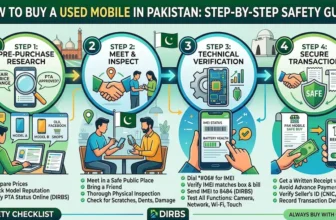
- Open your phone’s dialer
- Dial *#06# to pull up your IMEI number
- Send that IMEI number via SMS to 8484
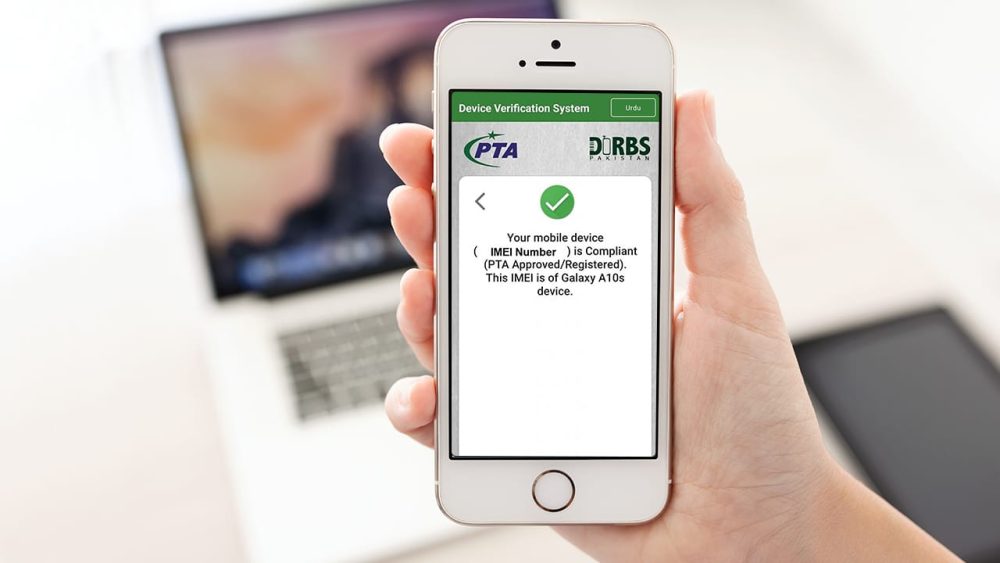
You’ll get a reply confirming whether the device is already registered or still needs the process below.
Two Ways to Register Your Phone
There are two practical routes: registering online through the DIRBS portal, or registering via your passport while entering the country. Which one applies depends on whether you’re a resident or a traveler.
Online Registration Through the PTA DIRBS Portal
This is the route most people end up using:
- Visit the official PTA DIRBS website
- Create an account with your email and CNIC or passport number
- Log in to your account
- Enter your phone’s IMEI number
- Fill in the device details — brand and model
- Submit the application
Once submitted, the portal shows the tax amount payable based on your specific phone model. The device gets approved once that payment clears.
Registering With Your Passport
Travelers arriving in Pakistan can register one device using their passport at a reduced tax rate. A few things to keep in mind:
- Use your passport details when creating the DIRBS account
- Complete registration within the allowed window after arrival — don’t leave it too late
- Only one device per passport qualifies for this reduced-rate option
This route is particularly useful for overseas Pakistanis visiting family or anyone on a short-term stay who wants to keep using their own phone.
Paying the Registration Tax
Once your application is submitted, you’ll need to pay the tax shown on the portal. Accepted payment methods include:
- Online banking
- ATM transfer
- Mobile banking apps
- Designated bank branches
Approval usually follows within a few hours of confirmed payment, though it can stretch to about 24 hours depending on how quickly verification goes through.
Common Mistakes That Slow Things Down
- Entering the wrong IMEI number
- Using incorrect CNIC or passport details
- Delaying tax payment after submitting the application
- Submitting multiple applications for the same device
Avoiding these keeps the process quick and prevents your application from getting stuck or rejected outright.
What Happens If You Skip Registration
An unregistered phone eventually gets blocked from Pakistani networks entirely — no calls, no SMS, and unreliable emergency call access. If you’re already dealing with an imported or used phone, it’s worth registering it before you rely on it as a daily driver, not after it stops working.
Final Thoughts
PTA registration isn’t complicated once you know the steps — it’s mostly about not delaying it. Whether your phone came from abroad or arrived as a gift, registering it early means one less thing to worry about. If you’re weighing whether to buy new or import, our budget mobile phone guide covers options that come PTA-approved from the start.
Frequently Asked Questions
How do I check if my phone is PTA registered?
Dial *#06# to get your IMEI number, then send it via SMS to 8484. You’ll receive a reply confirming the phone’s current registration status.
How long do I have before an unregistered phone gets blocked?
There’s a limited grace period after a foreign IMEI is first detected on a local network, after which the device is blocked automatically. It’s best to register as soon as possible rather than waiting until the deadline.
Can I register more than one phone on my passport?
No, the reduced passport-based tax rate applies to only one device per passport. Additional devices need to go through the standard DIRBS registration process.
How much tax will I have to pay?
The tax amount depends on your specific phone’s brand and model, and the DIRBS portal calculates it automatically once you submit your application. It varies enough between models that there’s no single fixed number to quote.
What if I entered the wrong IMEI number by mistake?
You’ll need to correct it through your DIRBS account or contact PTA support directly, since an incorrect IMEI won’t match your actual device and the registration won’t go through properly.
Does registration work the same for iPhones and Android phones?
Yes, the DIRBS registration process is identical regardless of brand or operating system. All that matters is a valid IMEI number and accurate device details.